

Many life sciences organizations already have an artwork approval workflow in place.
The challenge is that these workflows are often built around historical processes, manual workarounds, and the limitations of the tools available when they were first created.
As a result, the process works because people make it work.
Someone maintains the master version spreadsheet. Someone manages the shared inbox. Someone sends weekly status updates because there is no better way to track progress.
While these efforts keep projects moving, they also create risk. Manual processes are difficult to scale, difficult to audit, and vulnerable to human error.
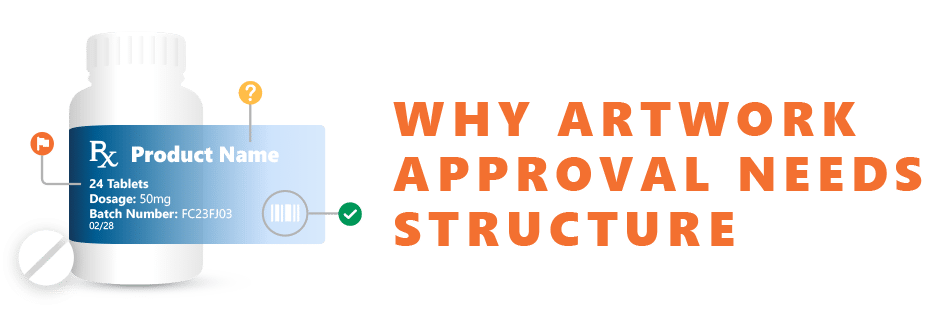
In regulated environments, a compliant artwork approval workflow should not depend on individual effort. It should be supported by structured processes and technology that ensure consistency, traceability, and control.
That is why effective packaging artwork management requires more than file sharing and email approvals. It requires a controlled workflow that can support the complexity of modern regulatory, quality, and labeling operations.
Artwork approval in pharmaceutical, biotechnology, and medical device organizations is rarely a simple review process.
A single packaging update may involve:
- Multiple countries and markets
- Several packaging components
- Regulatory Affairs reviewers
- Quality teams
- Medical and Safety stakeholders
- Legal reviewers
- Local labeling experts
As the number of participants grows, manual coordination becomes increasingly difficult.
Without a structured workflow, teams spend significant time chasing approvals, tracking versions, and managing comments across multiple systems.
With a structured workflow, the system manages the process while reviewers focus on the actual content.
This distinction becomes increasingly important as organizations scale operations and manage larger global portfolios.
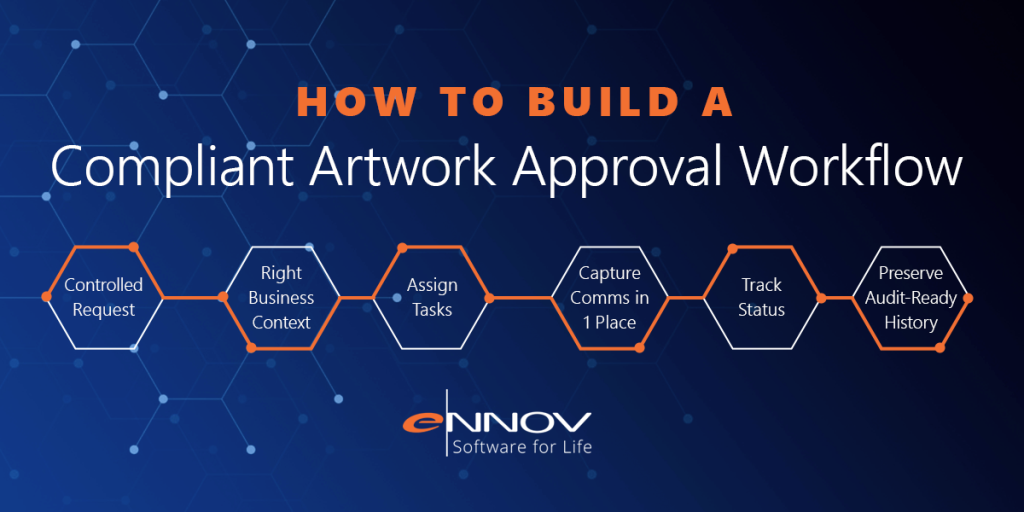
A compliant artwork approval workflow should help teams:
- Start with a controlled artwork request
- Route tasks to the appropriate reviewers
- Capture comments and approvals in one location
- Monitor progress and identify bottlenecks
- Preserve a complete audit-ready history

Every artwork project should begin with a structured request.
The request should capture information such as:
- Product name
- Market or country
- Packaging component
- Change reason
- Brand
- Artwork type
- New artwork or revision
Although simple, this information becomes the foundation of the entire workflow.
When requests are captured within a controlled system, every subsequent version, annotation, review, approval, and decision remains connected to that original request.
When requests originate through email chains or spreadsheets, important information can easily become disconnected from the final approved artwork.
A controlled request creates the foundation for stronger packaging artwork management throughout the project lifecycle.

Artwork changes rarely occur in isolation.
Most artwork updates are triggered by upstream events such as:
- Product registration changes
- Regulatory requirements
- Labeling updates
- Change controls
- Quality events
- Health authority correspondence
This is where integration becomes important.
Organizations that connect artwork processes with their regulatory information management software gain immediate access to approved product data, market-specific requirements, and regulatory context.
Similarly, integration with qms software allows teams to connect artwork projects with deviations, CAPAs, change controls, and quality events that initiated the update.
This reduces duplicate data entry, improves data integrity, and ensures artwork is developed using the most current approved information.

Not every artwork request requires the same review path.
A major label update may require input from:
- Regulatory Affairs
- Quality
- Medical Affairs
- Safety
- Legal
- Local market experts
A minor artwork correction may require only limited review and final approval.
A compliant workflow should automatically determine the appropriate approval path based on predefined business rules.
These rules may consider:
- Product type
- Market
- Packaging component
- Change category
- Risk level
Automated routing reduces delays and ensures consistent execution across projects.
Instead of relying on tribal knowledge or manual coordination, organizations can embed approval logic directly into the workflow.

Artwork reviews often involve multiple review cycles.
A reviewer identifies an issue. The artwork is revised. Another reviewer confirms the correction before approval.
When comments are distributed across emails, spreadsheets, PDF markups, and meeting notes, maintaining traceability becomes difficult.
An effective artwork management software platform keeps comments, annotations, and decisions connected directly to the version being reviewed.
Reviewers can easily determine:
- What was requested
- What changes were made
- Which comments remain open
- Which comments were resolved
This visibility improves collaboration while creating a documented history of every review cycle.

A compliant workflow should provide more than documentation.
It should provide visibility.
Project managers, Regulatory Affairs teams, and Quality leaders need to know:
- Which requests are active
- Which approvals are pending
- Which projects are at risk
- Which markets are complete
- Which tasks are overdue
Dashboards and reporting tools provide real-time insights that eliminate the need for manual status updates.
For global product launches, this visibility becomes even more valuable.
Teams can quickly identify bottlenecks, monitor progress across markets, and address issues before they impact launch timelines.
Historical workflow metrics also support continuous improvement by identifying recurring delays and process inefficiencies.

Every action within an artwork approval workflow should be documented automatically.
Organizations need a complete record showing:
- Who initiated the request
- Who reviewed each version
- What comments were submitted
- What changes were made
- Who approved the final artwork
Inspection readiness depends on this level of traceability.
Electronic signatures strengthen compliance by providing secure approval records that support requirements such as 21 CFR Part 11 and EU GMP Annex 11.
Many organizations also maintain supporting procedures and controlled records within a regulatory document management system, ensuring artwork activities remain aligned with broader compliance requirements.
Most importantly, audit trails should be generated automatically as part of the workflow rather than reconstructed manually after the fact.
Why Connected Packaging Artwork Management Delivers Better Results
The strongest artwork approval workflows do more than automate approvals.
They connect artwork activities with the broader regulatory and quality ecosystem.
When packaging artwork management operates alongside regulatory information management software, qms software, regulatory document management systems, and regulatory publishing software, organizations gain greater visibility and control throughout the product lifecycle.
Artwork teams can access approved product data more easily. Quality teams can monitor related change controls. Regulatory teams can prepare submission content using approved artwork assets.
Everyone works from the same underlying information.
The result is fewer manual handoffs, stronger data integrity, and faster decision-making.
Final Takeaway
A compliant artwork approval workflow does not need to be overly complex.
It does need to be controlled, traceable, and scalable.
The right artwork management software should help organizations create structured requests, automate review routing, centralize comments, provide real-time visibility, and maintain complete audit-ready records.
For Regulatory Affairs, Quality, and labeling teams, this means fewer approval delays, stronger compliance, improved collaboration, and greater confidence in every artwork decision.
Ennov Artwork helps life sciences organizations build controlled approval workflows that support modern packaging artwork management while connecting artwork processes with regulatory, quality, and submission activities across the Unified Compliance Platform.
Request a demo to see how Ennov Artwork helps teams improve collaboration, accelerate approvals, and maintain complete traceability from artwork request through final sign-off.